| News Feed |
 | Jobs Feed |
Sections
|
| feed this: |  |
Kurt Payne's Blog: User register_tick_function to profile your code
by Chris Cornutt February 07, 2012 @ 13:26:23
Kurt Payne has a new post to his blog showing how to use register_tick_function with a callback to help benchmark and profile your application to find its pain spots.
A profiler gives you the ability to trace the performance of your code through every function call and create an overview of your system's performance over a certain time period and helps you make intelligent decisions about where to look for problems. [...] But what if you're in an environment where you can't install [the xdebug or xhprof] extension? Luckily, php has a built-in function called register_tick_function that gives you a way to hook in to every user function that's called. With this, you can write a profiler yourself.
A bit of sample code illustrates his method - it defines a "do_profile" function and assigns it with the register_tick_function call. This function generates a debug backtrace and echos out the function path it took to get to that spot (output is included). He provides code for a bit more useful profiling and points out that it could easily be graphed to help visualize the problems. Also included are a few caveats to watch out for when using this method of profiling.
voice your opinion now!
registertickfunction profile graph performance xdebug xhprof
Learncomputer.com: PHP Profilers Compared (PHP Quick Profiler & XDebug)
by Chris Cornutt November 14, 2011 @ 11:53:31
In a recent post from Learncomputer.com, there's a comparison of two PHP profilers - the PHP Quick Profiler and the one included in Xdebug.
Whether you are an experienced developer or just getting started it is important to know how to measure the performance of your scripts and applications so that you can learn to make improvements and optimizations to your code. [...] This article compares two of the most popular [profiling] solutions under free license that you can begin using today to profile your PHP applications.
They describe each of the tools - the Quick PHP Profiler acting more like a plugin (running on each page load) and Xdebug working more behind the scenes and providing cachegrind files. These files can be viewed in cachegrind tools to drill in to the badly performing aspects of your applications and find the issues.
If you need a free tool it can be difficult to find a PHP profiling tool that has all of the features you may want and the interface that you like all rolled into one. Identifying what kind of data you are looking for and what information you need from a profiling tool will allow you to choose the best solution for your needs.
voice your opinion now!
phpquickprofiler xdebug profile performance cachegrind plugin
Justin Carmony's Blog: Working with Middle-Scale Websites
by Chris Cornutt July 21, 2011 @ 11:53:08
In a new post Justin Carmony looks at what it means to me a "middle-scale website" and has some recommendations for anyone working with their applications and considering things like scalability, overcompensation and finding real results through profiling.
Hopefully at some point, your website is going to get a lot of traffic. Yay, you've reached your goal of getting good traffic, but it is soon followed by issues with performance and load. I like to call these the growing pains of a website. So as a web developer, I suddenly have the epiphany of "Hey, I need to scale my website!" What follows next is the biggest mistake a web developer can make: They start looking at articles on how Google scales, or maybe how Facebook manages all of their traffic. This is a mistake! To be brutally honest, you are not Google. You are not Facebook. You are not Twitter. You are a website that receives less than 0.000001% of the traffic that some of the major websites receive.
He includes a "reality check" of the setup behind a popular social site, StackExchange, with comments from their own post about their infrastructure. He talks about things included in a move to "middle-scale" like adding caching, performance tweaking, moving to a multiple server model and using replication.
voice your opinion now!
middle scale website application optimize performance profile
DZone.com: Profiling a PHP Application
by Chris Cornutt April 18, 2011 @ 11:09:33
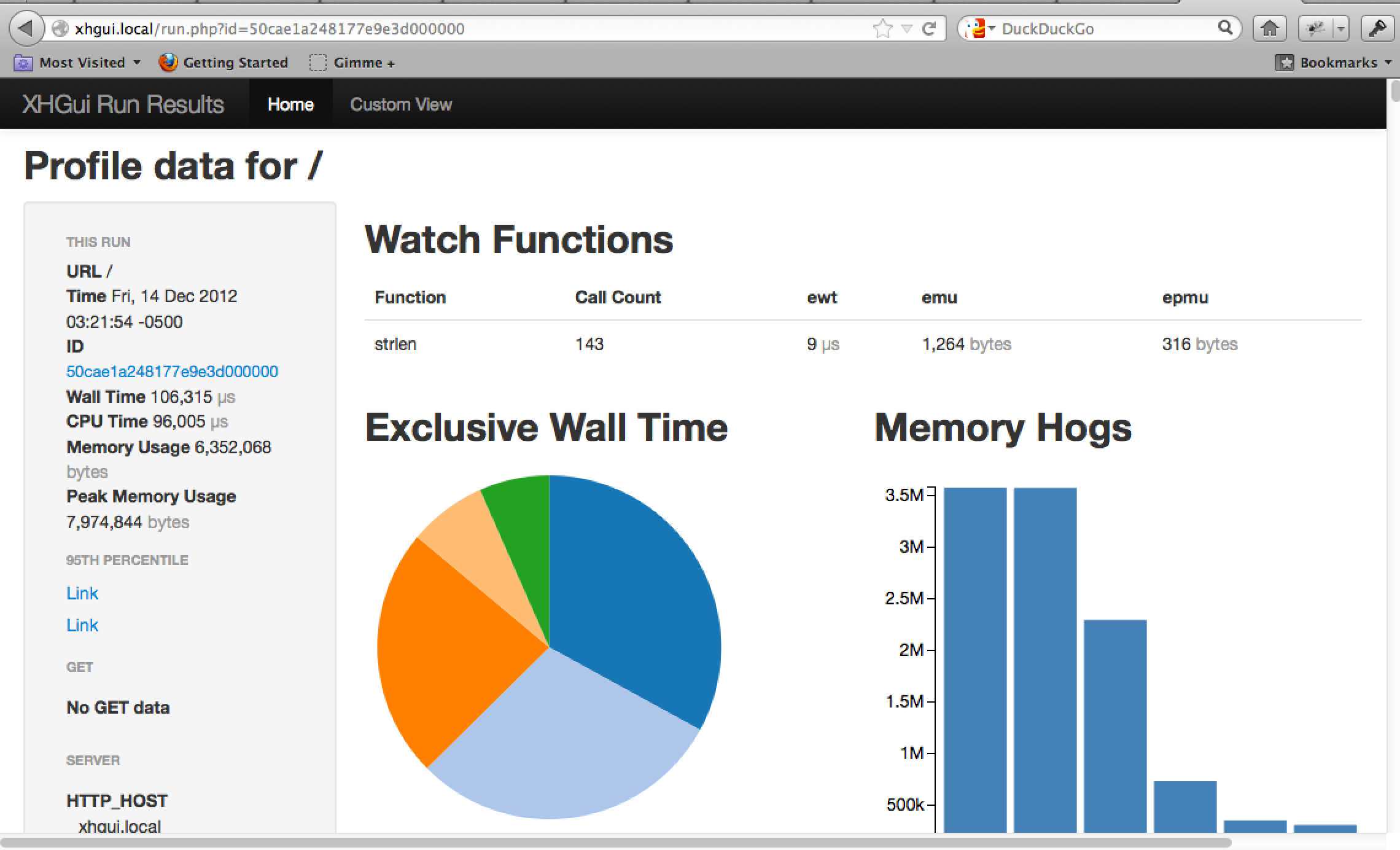
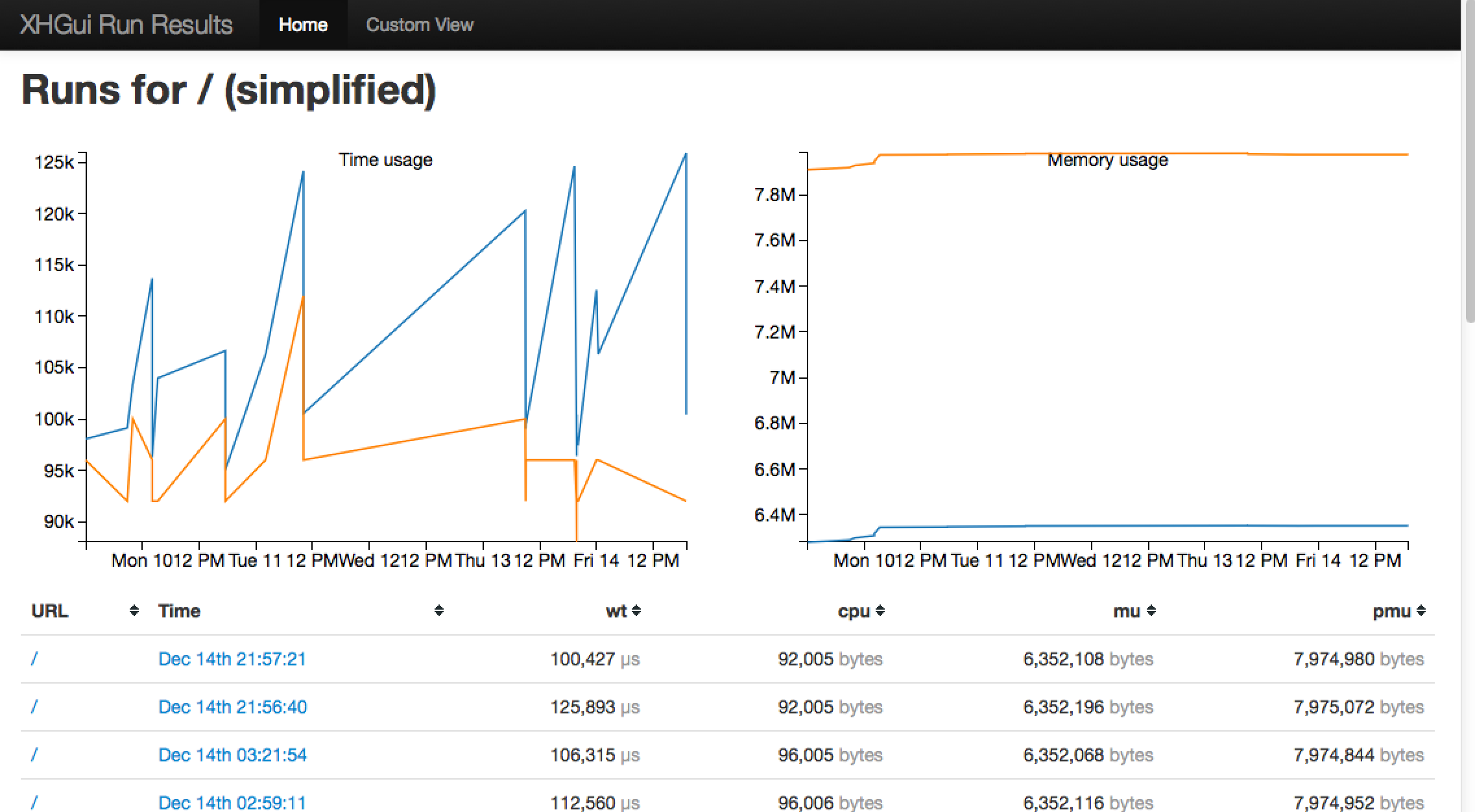
On DZone.com's Web Builder Zone today there's a new post from Eric Hogue talking about some of the tools you can use to profile your PHP application and squeeze that much more performance out of it (or maybe just find that pesky, elusive bug).
When developing web applications, we often run into performance issues. People often blame PHP or MySQL for bad performance, but in most case the answer is not that easy. Blindly trying to optimize random parts of our applications can lead to some uneven results. There are many available tools to profile a PHP application. Learning how to use them can help us pinpoint which parts are slow. With this information we can pick the optimizations that will give us the best results.
The helpful tools he mentions include:
voice your opinion now!
profile application siege xhprof xhgui xdebug
Eric Hogue's Blog: Profiling a PHP Application
by Chris Cornutt April 01, 2011 @ 10:02:53
Eric Hogue has written up a new post about a few different technologies you can use to profile your PHP applications quickly and easily.
There are many available tools to profile a PHP application. Learning how to use them can help us pinpoint which parts are slow. With this information we can pick the optimizations that will give us the best results. This post describes the installation and configuration of some of them. I tested them in a Ubuntu 10.10 virtual machine. If you want to try those tools, don't forget that they can greatly impact the performance of you web server when they are active. Installing a tool like Xdebug on a production server is not recommended.
First he looks at benchmarking your application with a tool called Siege, a load testing tool that can be configured to send requests to your application in lots of different ways. He also mentions Xdebug, a handy debugger and XProf, a profiling tool to help find the bottlenecks in your code (and XHGui to view its results).
voice your opinion now!
profile application xdebug siege xprof xhgui
Eran Galperin's Blog: Database Optimization Techniques You Can Actually Use
by Chris Cornutt March 28, 2011 @ 13:15:57
Eran Galperin has posted a few helpful tips (ones you can "actually use") for optimizing your database and how your application uses it.
I understand the need for simplicity because of the wide audience of Smashing Magazine, but I'd wish they'd give something more than the absolute basics you could find in almost any other site out there [in their recent tutorial]. I also didn't like some of the methods mentioned there for profiling (or the code itself), so I here is my starter guide to optimizing database performance.
Tips included in his post center around a different set of questions:
- When should you optimize the database?
- Think about profiling first, optimizing last
- How EXPLAIN can find the big problems
- When caching should be used
Some code is included, but only briefly since his point is more about the server than the client (script) side of things.
voice your opinion now!
database optimize technique explain cache profile
PHPBuilder.com: Profiling PHP Code with Xdebug and KCacheGrind
by Chris Cornutt December 31, 2010 @ 12:09:07
New on PHPBuilder.com today there's a tutorial on profiling your applications with the help of XDebug and the KCacheGrind tools.
[Eventually you'll want to seek out and resolve any bottlenecks.] Which brings us to the question of how to even go about determining which parts of an application could conceivably be optimized. One common approach involves using a profiler such as Xdebug, which can analyze your code and produce performance reports. These reports can then be reviewed within a profiling visualization tool such as KCacheGrind. In this article I'll show you how to use Xdebug and KCacheGrind to begin profiling and analyzing your PHP-driven Web applications.
He starts you from the beginning - installing both XDebug and KCacheGrind (unix-based, if you're on Windows try WinCacheGrind). He gives an example of a profile report based on a Zend Framework application and an example call graph output (as well as how some caching can help things quite a bit).
voice your opinion now!
profile tutorial xdebug kcachegrind
PHP North West: Lorenzo Alberton Profile your PHP application and make it fly
by Chris Cornutt December 22, 2010 @ 08:17:11
On the PHP North West site today they've released another in their series of video recordings from this year's event. In this session Lorenzo Alberton talks about profiling your application to squeeze out as much performance as possible.
Making an application scale and go faster is often seen as a wizardly task. We read the micro-optimisation tricks posted in tech blogs and apply them with unconditional trust and great hope, and then wonder why performances haven't improved that much (Wait, I even replaced print with echo!!!).In this talk well see how we can take easy, practical steps we can apply over and over that really make a difference, by analysing what our application does under the hood, measuring how and where the different resources are used, eliminating the real bottlenecks and restructuring critical components to handle growing loads.
You can follow along with a copy of his slides. There's also other great recordings from this year's event - check out the home page for the event for more.
voice your opinion now!
lorenzoalberton profile application phpnw10 conference video
Pablo Viquez's Blog: MySQL Profiling and Zend Framework
by Chris Cornutt August 17, 2010 @ 13:22:34
Pablo Viquez has a new post to his blog today looking at how to profile the MySQL connections and queries in your Zend Framework application with some built-in tools.
You can do profiling on PHP using XDebug or Zend Debugger ad both works beautifully, however what about MySQL? Can you do something similar? The response is yes you can. Now the best part is that you can take advantage of the tools MySQL give you, if you want to take the profiler to a new level.
He shows how to use the built-in profiler that comes with the Zend Framework coupled with FirePHP to provide you with profile results to the Firebug output panel in your browser. Another option - one that gets a bit deeper into the MySQL side - is the profiling tool that comes with MySQL (you just have to turn it on). He includes the code for a class you can use to gather these results and, similarly to the Zend Framework version, output it to the Firebug tool with more detailed results.
voice your opinion now!
profile zendframework mysql applicaton firephp
|
Community Events
Don't see your event here? Let us know!
|